

For everyone
My Workspace
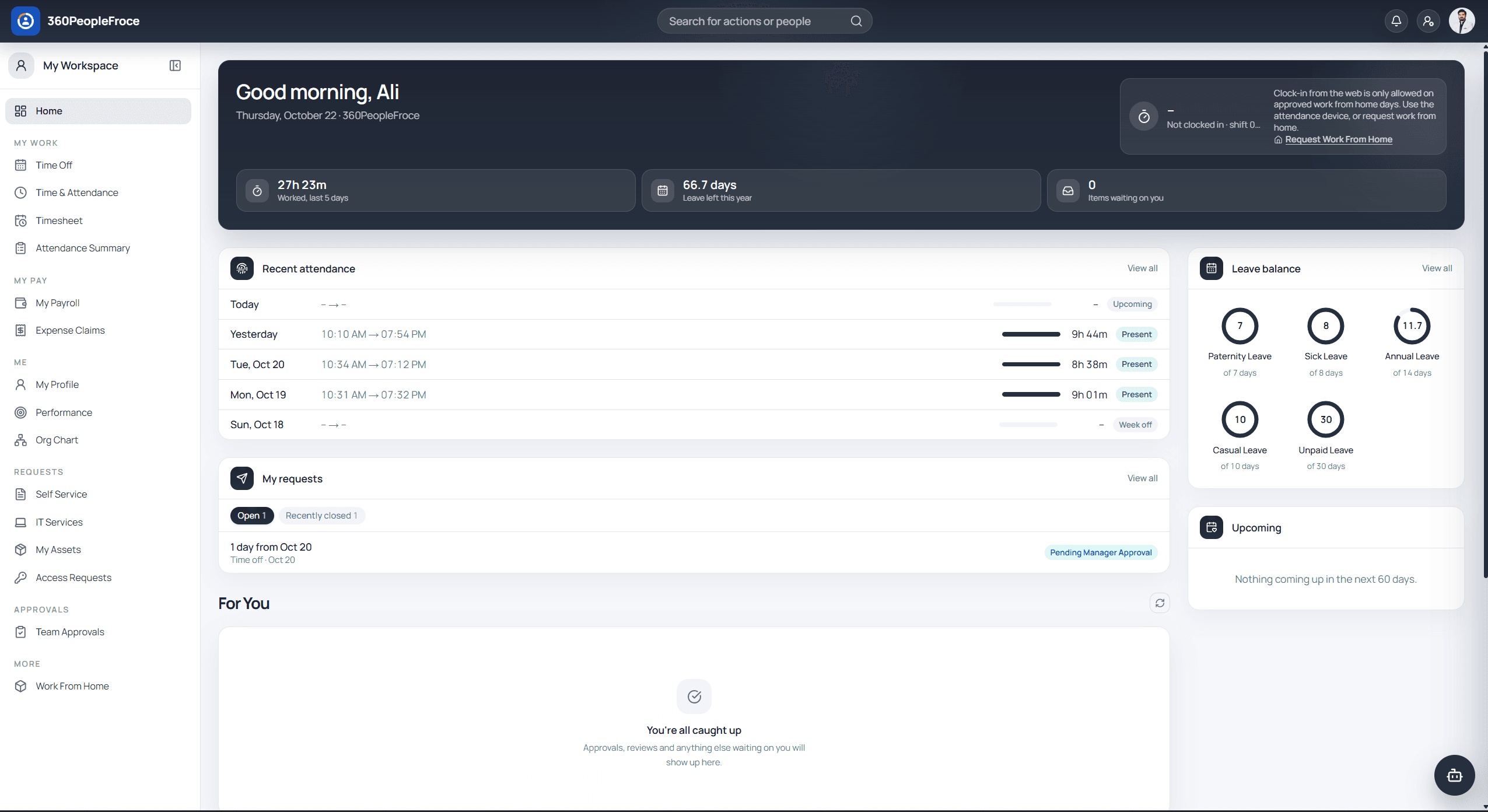
The everyday landing screen: time worked, leave left, recent attendance, leave balances and open requests in one view.
Watch this to see what an employee or manager opens every morning before they need HR for anything.
See 360PeopleForce in action.
Under-a-minute videos from our YouTube channel, plus a self-playing walkthrough of the real product screens.
Each one is under a minute: payroll, leave, WhatsApp approvals and the employee home page.
Month end without late nights and paper files: payroll in AED closed in one day, leave and attendance applied automatically, and approvals in one tap.
Watch on YouTubeAll videos
6 videosMade for your phone. Tap one to play it here.
New product videos, tips for HR teams and release news, wherever you scroll.
Home, profiles, org structure, attendance and timesheets.
My Workspace
The everyday landing screen: time worked, leave left, recent attendance, leave balances and open requests in one view.
The tour above runs through 7 screens of 360PeopleForce HCM. Here is what each one shows, so you can jump straight to the part that matters to your role.
For everyone
The everyday landing screen: time worked, leave left, recent attendance, leave balances and open requests in one view.
Watch this to see what an employee or manager opens every morning before they need HR for anything.
For everyone
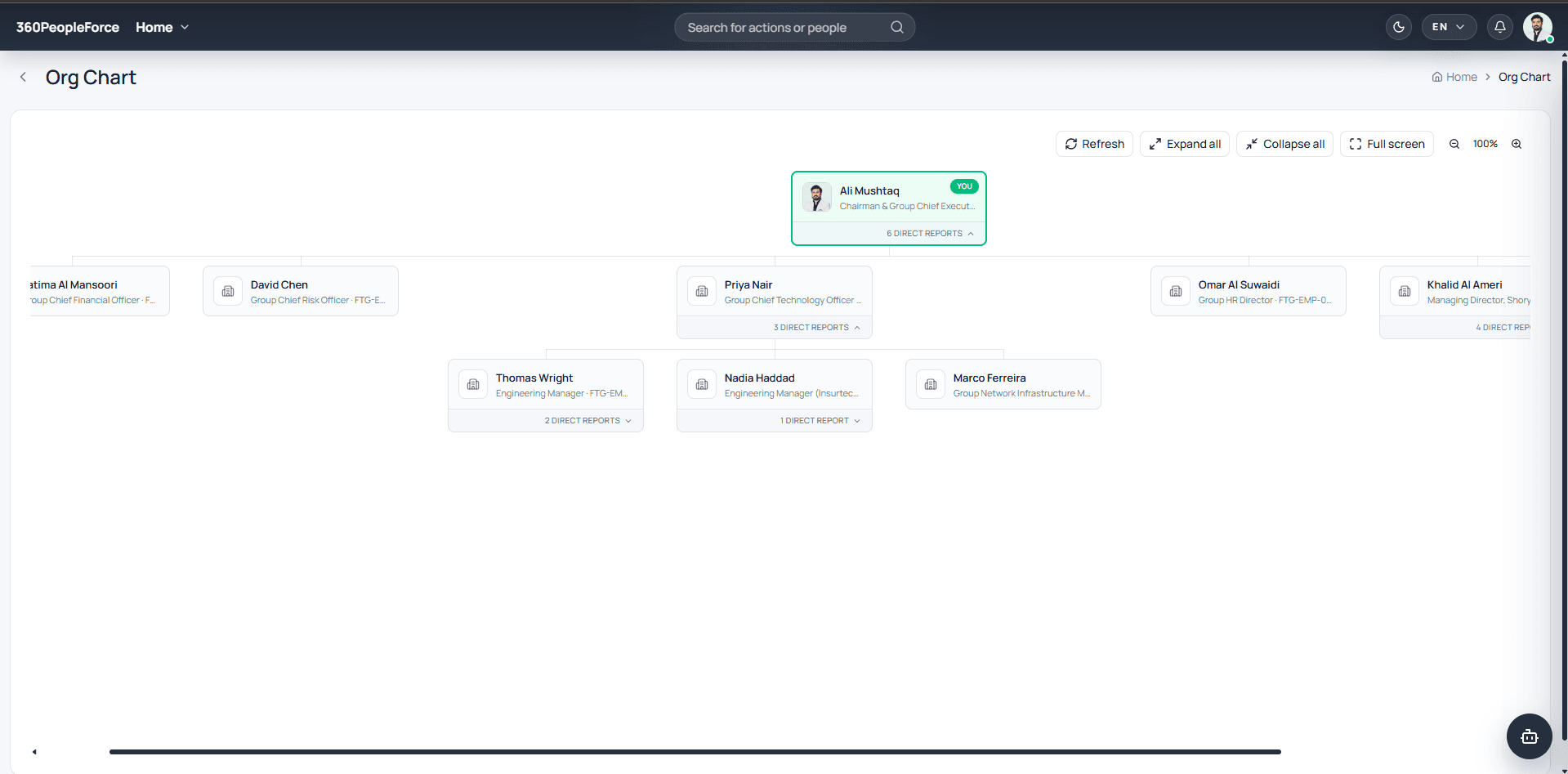
The live reporting structure across the group, with direct-report counts and expandable teams.
Useful for anyone who wants to check who reports to whom across companies and teams.
For employees and hr
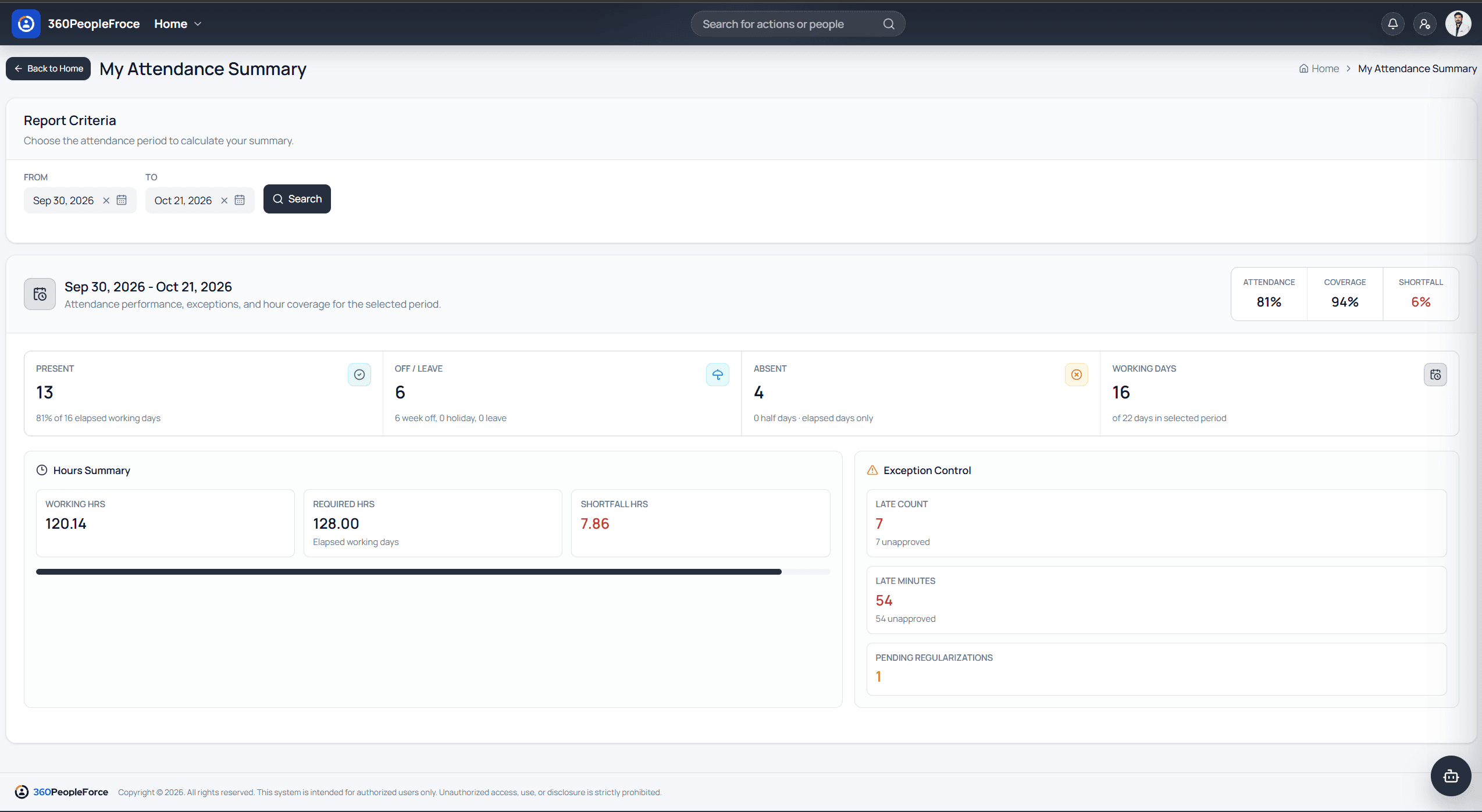
Present, leave and absent days for any period, with working versus required hours and late-arrival exceptions.
For HR teams that reconcile attendance by hand today, and employees who want to check their own record.
For hr and finance
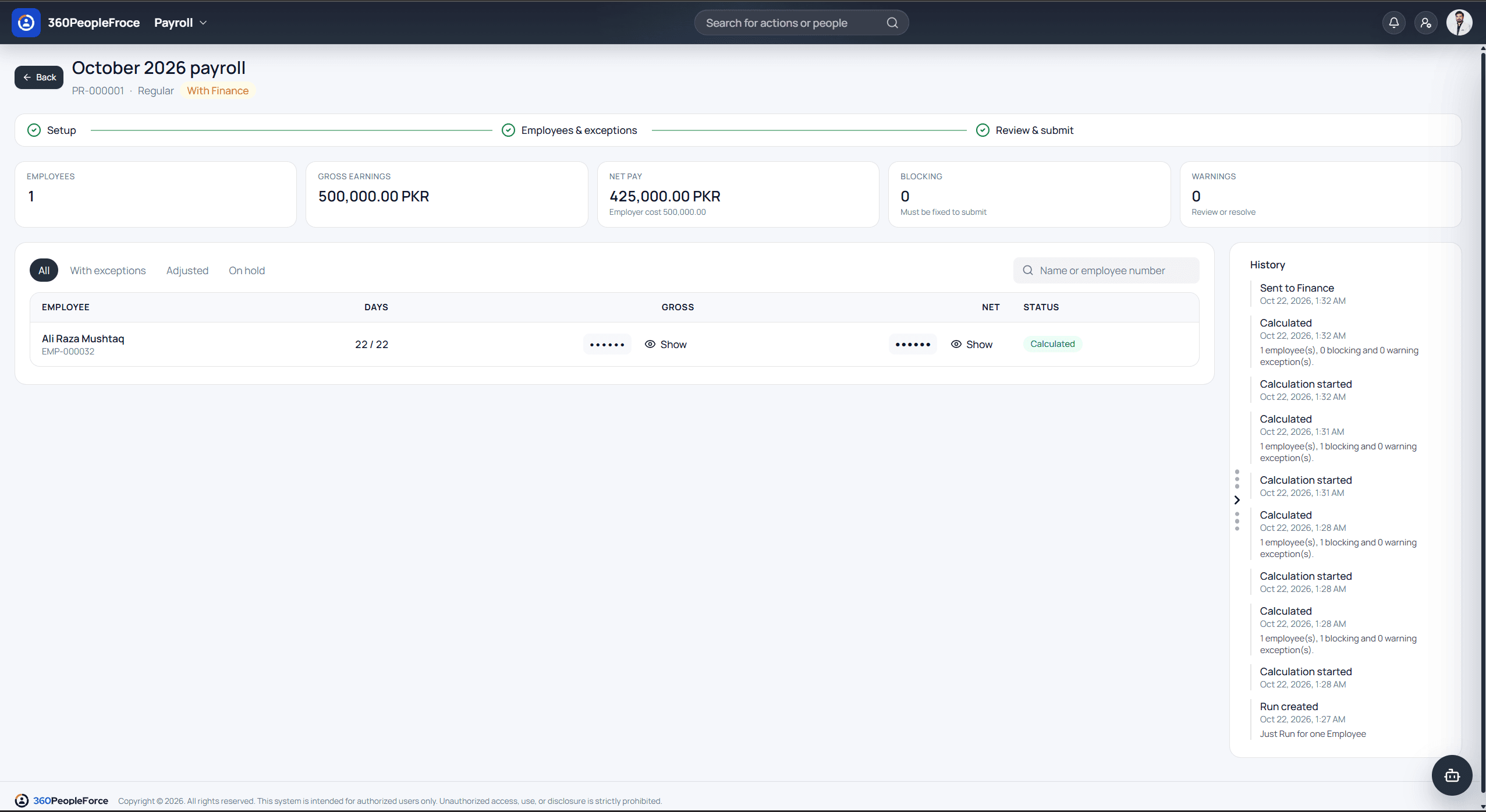
Calculate the month, fix blocking exceptions, review gross and net pay in PKR, then send the run to Finance with its full history.
For HR and Finance teams evaluating how a run is checked by HR and then handed to Finance before any money moves.
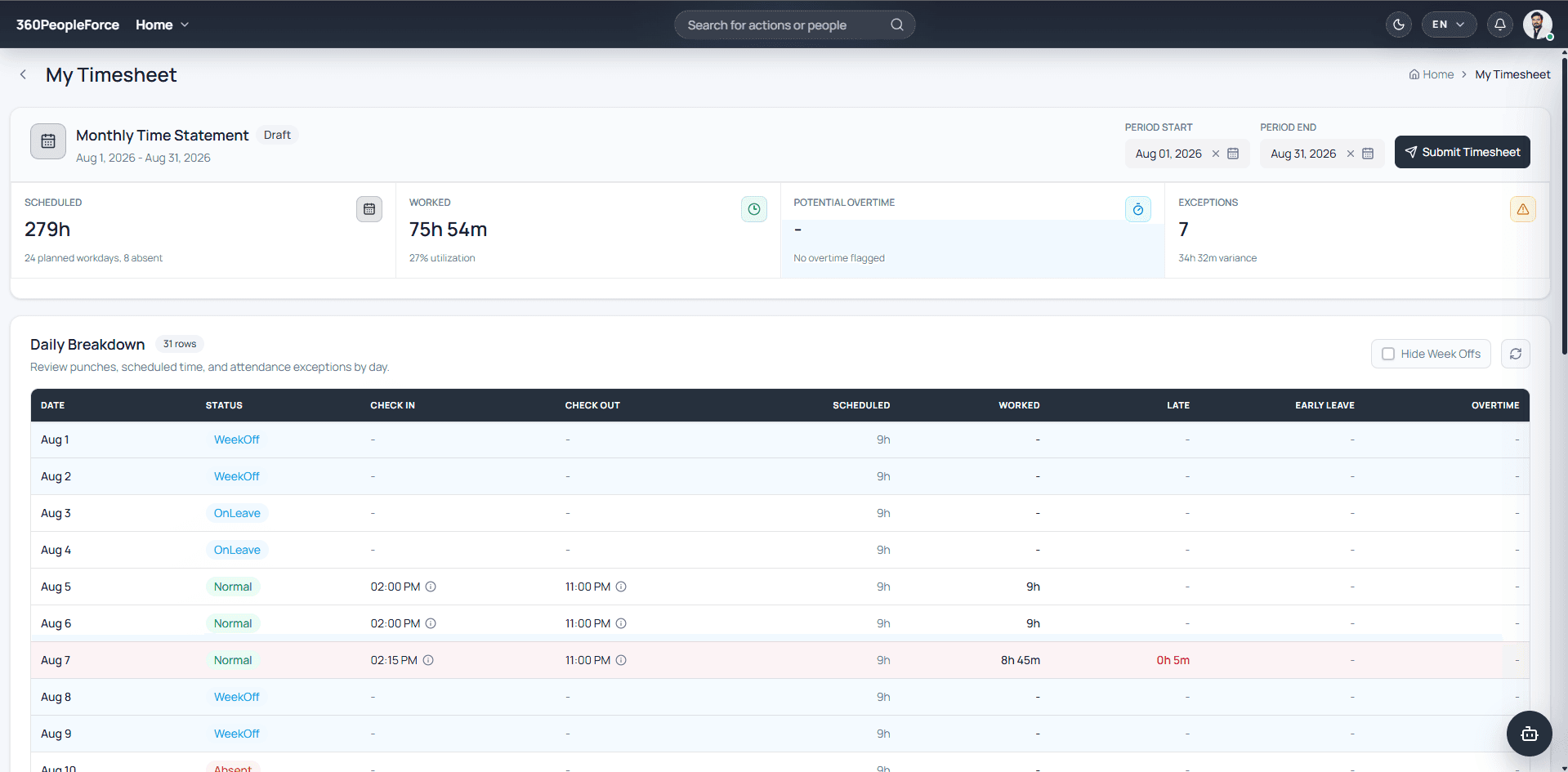
For employees and managers
A daily breakdown built from real punches, with worked hours, late minutes and exceptions, submitted for approval.
For managers who approve timesheets and employees who want their hours built from real punches.
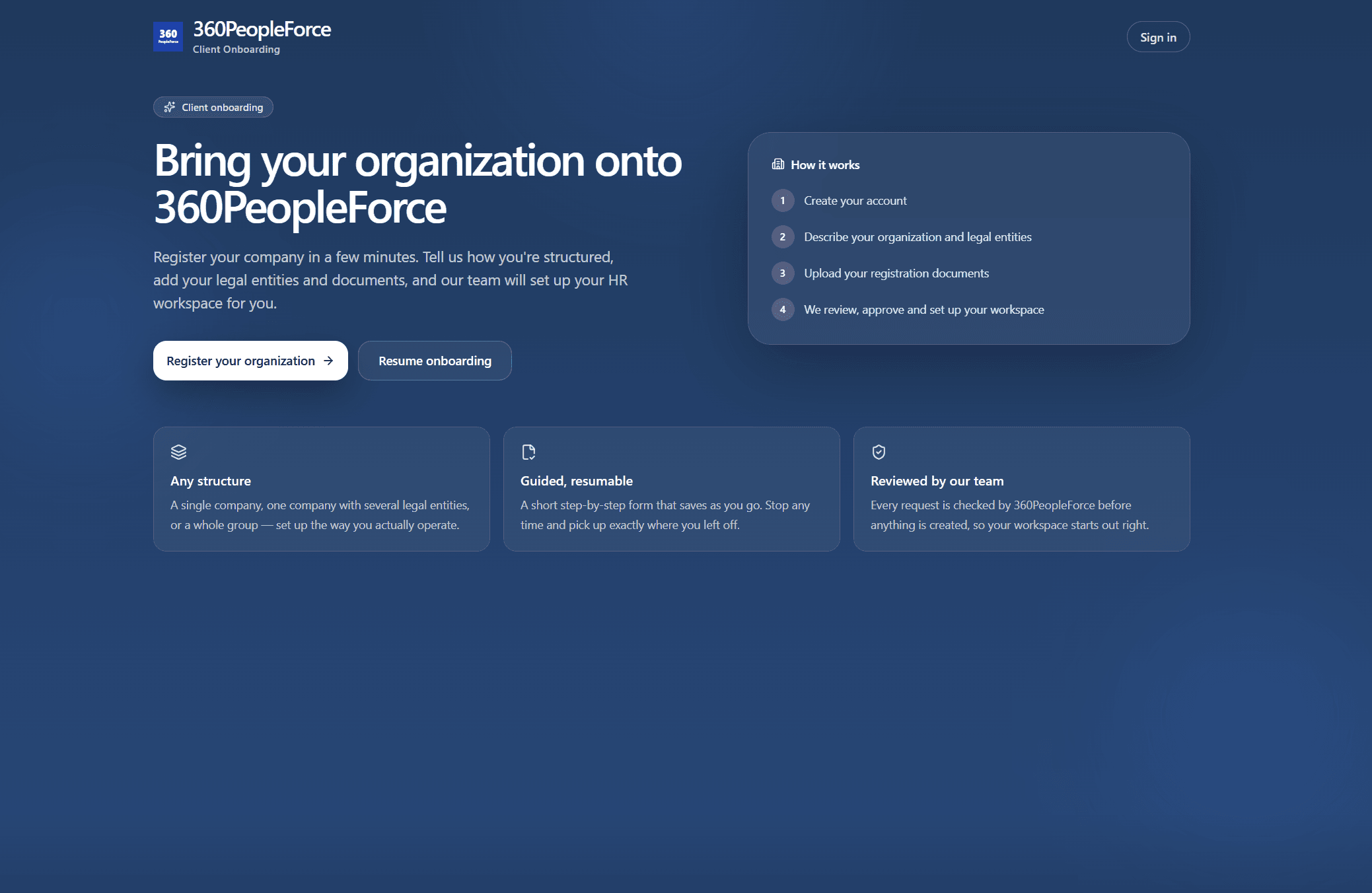
For new clients
Register your organization in a few minutes: structure, legal entities and documents, then our team sets up your HR workspace.
For business owners and HR leads deciding how quickly they can get their organization registered.
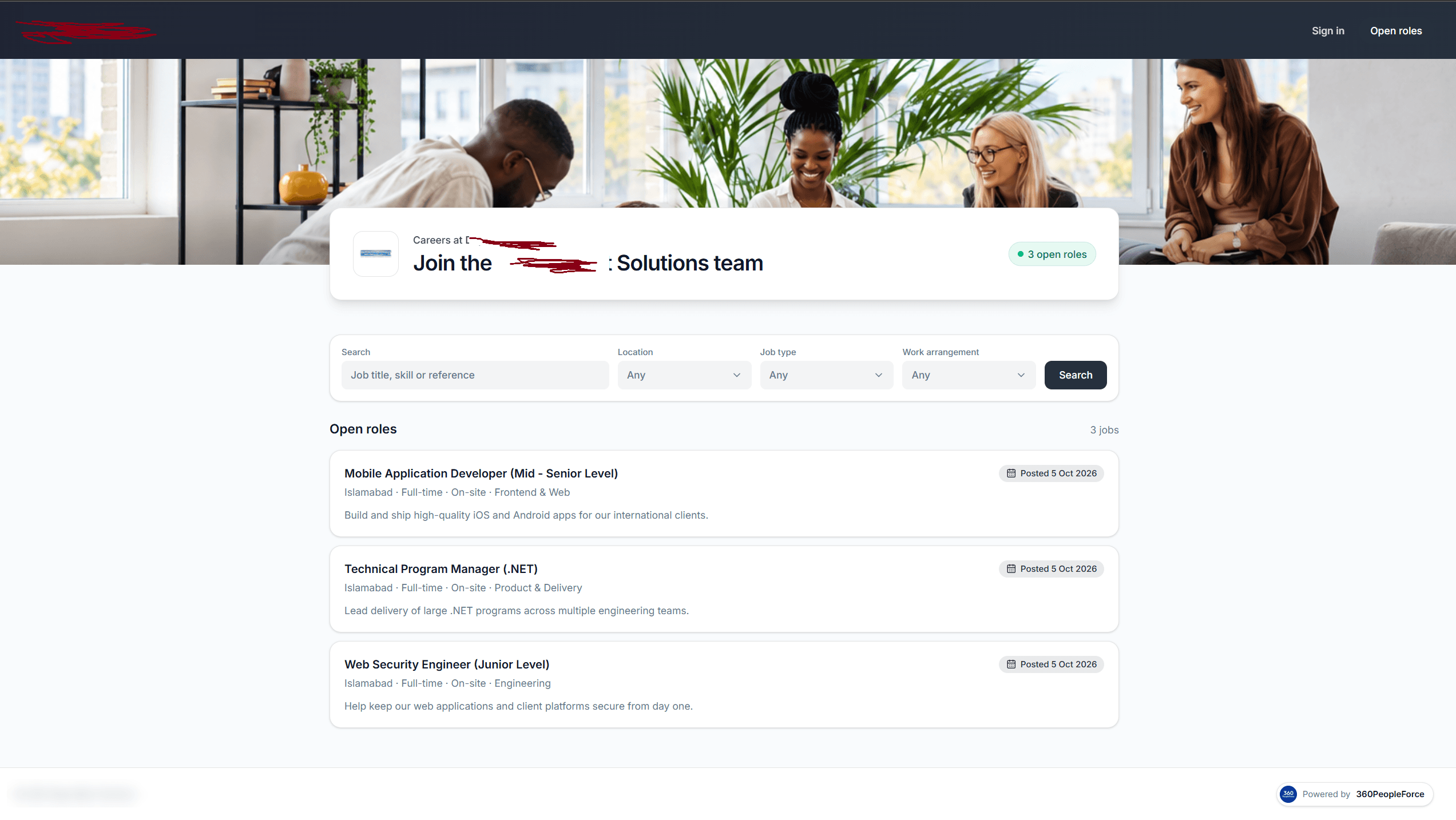
For candidates and recruiters
Your own careers site: branded banner, searchable open roles, and applications that land straight in recruitment.
For recruiters and hiring managers who want job openings and applications in the same system as HR.
The self-playing tour shows the screens. A live 30-minute demo shows how they connect: one employee record, one approval engine and unpaid leave flowing straight into payroll.
Book a live demoYes. The walkthrough cycles through screens from the 360PeopleForce web portal and the client onboarding and careers sites, with the address of each screen shown above it.
A live demo takes about 30 minutes. We walk through attendance, leave and payroll using your own policies and answer questions as we go.
Yes. Every plan starts with a 90-day free pilot and no credit card is needed. You can register your organization yourself or book a demo first.
The payroll screen shows gross and net pay in PKR. Tax is configured as slab tables per company, including the fixed amount plus percentage method used in Pakistan.
An Android app for employees is rolling out on Google Play for clock-in, leave and approvals. An iPhone app is not available yet; employees can still use the web portal and WhatsApp.